
Dialogue Blips Free - Voice Blips Sampler
Free voice blips and a dialogue box that types and talks, for Godot 4. Every letter your
characters say blips in their voice: the DialogueBox node types the line out, blips as it goes,
holds on commas and stops, lifts a question at its end, and offers choices.
Want more?
Dialogue Blips has 36 voices (chip, talking, tuned and character voices, from robots and ghosts to monsters and fairies) and 8 styles (adding wood, comic, terminal, cyan, gilded and horror). Same files and names: install it over this one.
What's inside
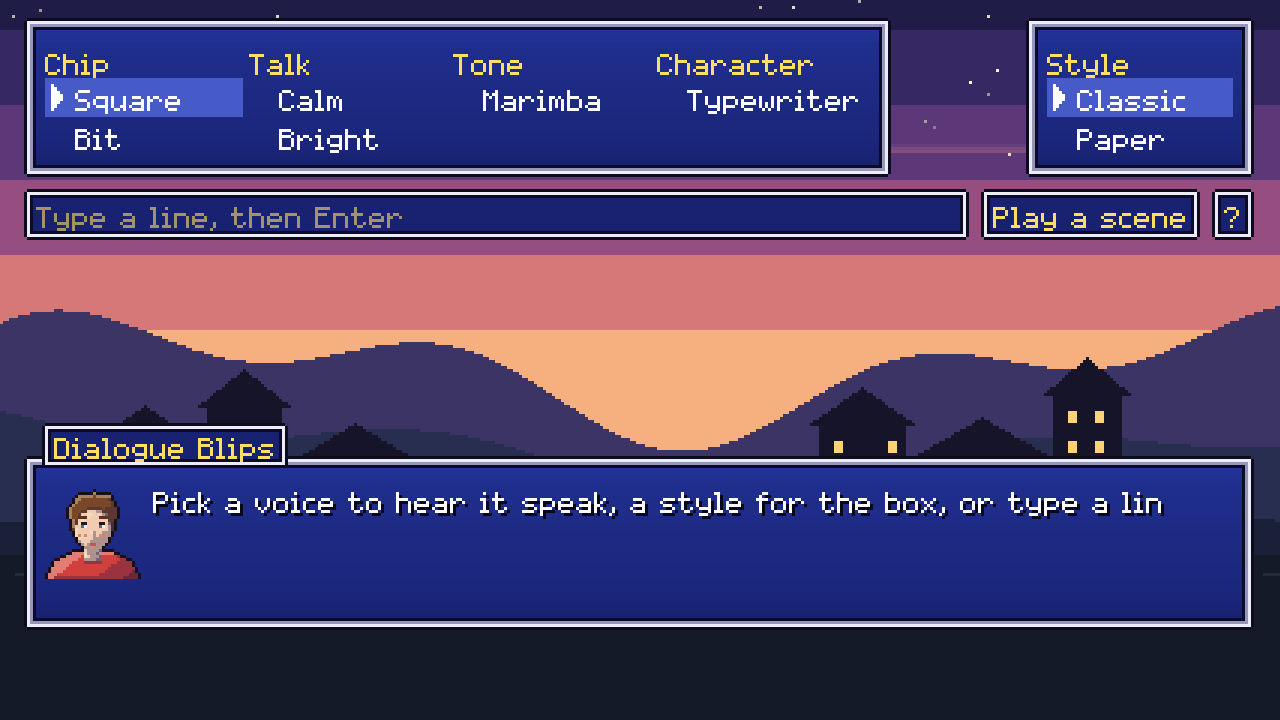
- 6 voices: square, bit, calm, bright, marimba and typewriter, five syllables each, so a voice says words rather than beeping one note.
DialogueBox, a Control you size and theme like any other: it types BBCode lines out, blips as it goes, holds after commas and stops, and lifts a question's last word.[wait=0.5]and[speed=2]pause a line or change its pace.- A speaker's name plate and portrait with a talking frame, choices by mouse, keys or pad, and
play()to run a whole conversation. - 2 styles, each a Godot Theme with its panel, name plate, next arrow, choice highlight and pixel font: the blue window of a 16-bit RPG and ink on old paper.
- Open, close, next, move and select sounds, and
BlipVoiceresources for voices of your own. - 35 native 48 kHz, 24-bit mono WAVs, for any engine.
Compatibility
- Godot 4.3 to 4.7.
- Forward+, Mobile and Compatibility renderers.
Install
Copy addons/dialogue_blips/ and set Default Texture Filter to Nearest. Add a
DialogueBox from Create New Node, set a Theme from themes/ and a voice from voices/, and
call say(). addons/dialogue_blips/README.md has the details.
License
CC BY 4.0: use it in any game, commercial or not, change it and share it, as long as you credit it. The credit line, for your game's credits:
Dialogue Blips Free by heyheythere - https://heyheythere.itch.io/dialogue-blips-free - CC BY 4.0
Related Packs
Download
Leave a comment
Log in with itch.io to leave a comment.