
PSX Horror HUD Free - Button Prompt Sampler
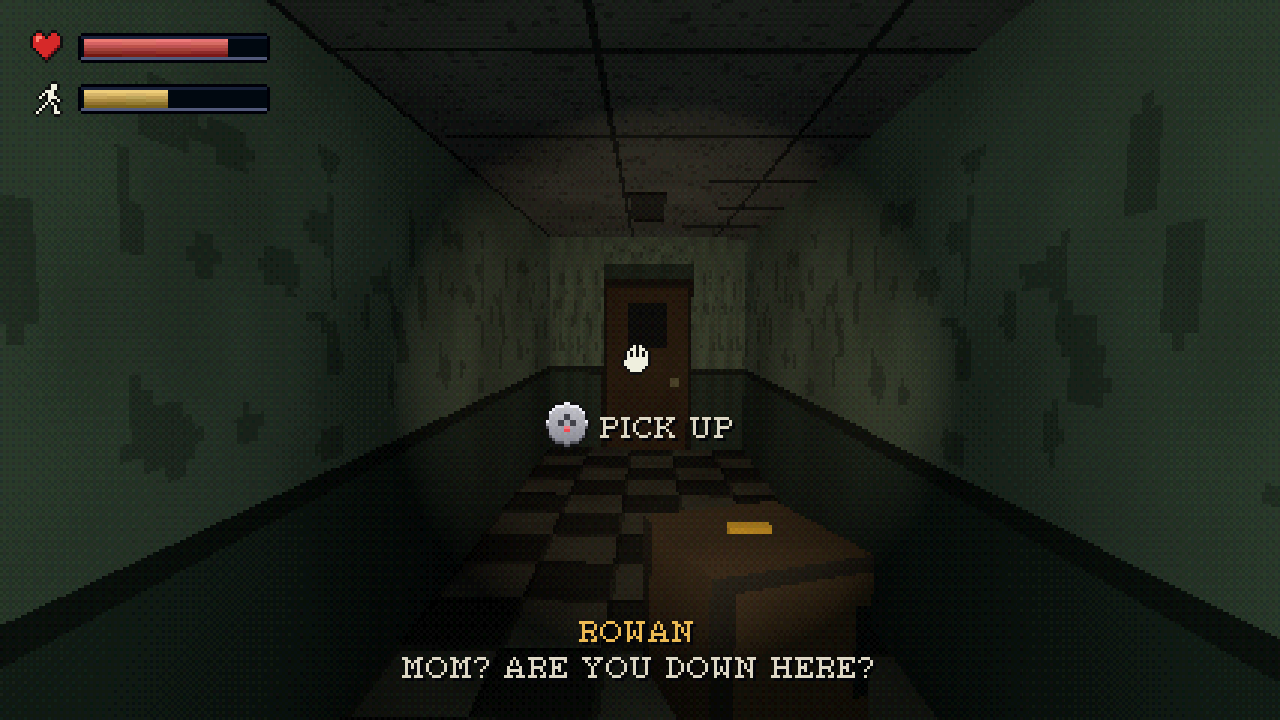
Free PS1 horror button prompts for Godot 4 and Unity 6.3. The prompt over the door that shows the button to press, the face button on a pad and E on the keyboard, switching the moment the player does, read off your own InputMap in Godot or configured key and pad mappings in Unity. With the health and stamina meters, subtitles and an aim point, in the manor theme.
Want more?
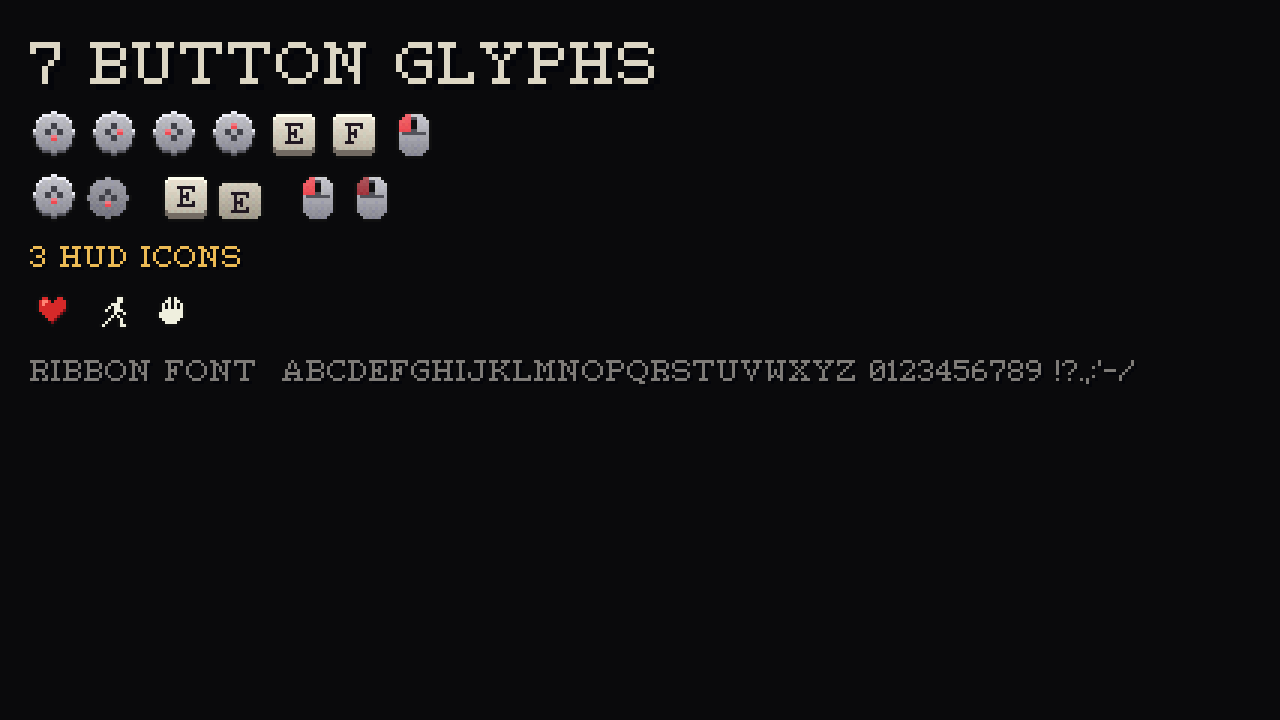
PSX Horror HUD has all 72 button glyphs (the whole pad, A to Z, 0 to 9, the special keys and the mouse), the flashlight and fear meters, the ammo count, pickups, the objective, the dithered damage edges, the memory card save, the YOU DIED screen, 20 icons and four themes. In Godot, install it over this one; the Unity paid and Free packages have separate folders and namespaces.
Both formats are included: the Godot project and addon, and a native Unity package with C# components, UGUI prefabs, Ribbon TextMesh Pro font assets and a demo scene. TMP Essential Resources are included, so the prompt and subtitle labels work on a fresh import without manual TMP setup.
Try it first: click Run asset pack above and play the Godot demo in your browser.
What's inside
- The prompt: the glyph and a verb, "[X] OPEN", for the device last used; prompts to hold fill a bar, and a key without a glyph shows as text: [Q].
- 7 button glyphs, up and pressed: the four face buttons, marked by place, E, F and the left mouse button.
- Health and stamina meters that blink when low and flash when hit; stamina hides while full.
- Subtitles typed out under the speaker's name, and the aim point, a dot or a hand.
- The manor theme and Ribbon, the typewriter pixel font, at 1x and 2x.
- Demo project: a basement corridor with the HUD over it, in the PS1's 15-bit colour. It opens with a card on how to use it.
Compatibility
- Godot 4.3 to 4.7.
- Forward+, Mobile and Compatibility renderers.
- Unity 6.3 to 6.6, with UGUI and TextMesh Pro, Built-in.
- Unity supports either input handler: Input Manager or Input System.
Install
Godot: copy addons/psx_horror_hud/, set Default Texture Filter to Nearest, and instance
hud/hud.tscn over your camera. addons/psx_horror_hud/README.md has the details.
Unity: import the .unitypackage from the psx-horror-hud-free-unity.zip download using Assets > Import Package > Custom
Package. Open Assets/PSXHorrorHUDFree/Demo/L_PSXHorrorHUDFreeDemo.unity and press Play.
License
CC BY 4.0: use it in any game, commercial or not, change it and share it, as long as you credit it. The credit line, for your game's credits:
PSX Horror HUD Free by heyheythere - https://heyheythere.itch.io/psx-horror-hud-free - CC BY 4.0
Related Packs
Download
Leave a comment
Log in with itch.io to leave a comment.