
Tile Loop FX Free - Aseprite Tile Scrolling
A downloadable tool
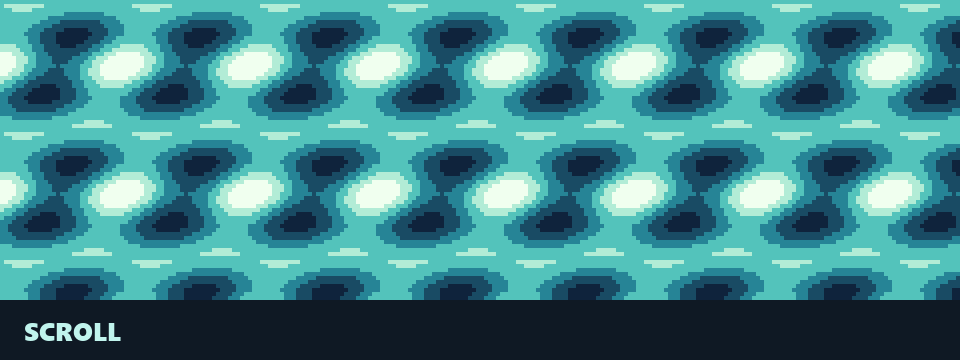
Make a scrolling tile loop in Aseprite, with pixels wrapping across the canvas edges and your palette indices unchanged. This free extension operates on one active image layer, provides an animated 3 × 3 tiled preview and applies the operation in one undo step.
Want more?
Tile Loop FX adds wave and ripple effects, scrolling combined with waves, and processing selected cels across multiple layers. $4.99.
What you get
- Horizontal, vertical or diagonal scrolling, forwards or backwards.
- Append 2–64 generated frames from the active cel, or scroll across the active layer's existing animation frames.
- RGB, grayscale and indexed colour support. No blur or new colours.
- Readable Lua source, installation guide and a small example tile.
Install and use
Requires Aseprite 1.3 with scripting enabled; Aseprite itself is not included. Add tile-loop-fx-free.aseprite-extension in Edit → Preferences → Extensions → Add Extension, then restart Aseprite. Open Edit → FX → Tile Loop FX Free.
Choose a cel on an ordinary image layer, set tile turns in X/Y, and click Apply. Append loop leaves the original frames intact; its new frames are tagged. Start with repeating tile artwork: this tool wraps pixels but cannot repair an existing art seam. Operates on the whole canvas; deselect pixels first. Locked/background/tilemap layers are excluded. Other layers are empty in appended frames.
License
The free extension and example tile are CC BY 4.0. You may use and adapt them commercially; credit heyheythere when distributing the extension or the included tile. Your own artwork remains yours and does not require credit for using this tool.
More packs
- Analog Horror SFX - 205 VHS & Static Sounds
- Anvil - Bold Title Pixel Font
- Block Puzzle Kit - Blast, Sudoku & Falling Block Game with 4 Block Sets
- Buff FX - 29 Buff, Aura & Loot VFX in 6 Colours
- Card Kit - Playing Card Decks, Card Shaders & Hand System
- Combat FX - 22 Hit VFX in 6 Colours
- Cozy Game SFX - 229 Life Sim Sounds
- Dialogue Blips - 32 Voices & Dialogue Box
- Explosion FX - 15 Explosion, Fire & Smoke VFX in 6 Colours
- Fantasy UI SFX - 321 RPG UI Sounds
- Footsteps SFX - 305 Footstep Sounds on 17 Surfaces
- Hologram & Glitch FX - Shader, 25 Holograms & 20 Glitches
- Inventory Kit - Grid Inventory, Equipment & 73 Items in 3 Skins
- Magic Circles 3D - 80 Spell Area VFX
- Match-3 Kit - Gem, Candy, Fruit & Rune Pieces with a Match-3 Engine
- Medieval Combat SFX - 267 Sword, Bow & Siege Sounds
- Mote - 3x5 Micro Pixel Font
- Parallax Skies - 22 Sky Backgrounds
- Pixel Bars - 8 Health Bar Styles
- Pixel Fonts - 5 Pixel Art Fonts
- Pixel SFX - 222 8-bit Sounds
- Pixel UI - GUI Kit & 86 Icons
- Pixel UI Fantasy - RPG GUI & 135 Icons
- Pixel UI Icons - 200 16x16 Icons
- Pixel UI Sci-Fi - HUD Kit & 120 Icons
- PSX Decals - 115 PS1 Horror Decals
- PSX Fixed Camera Horror Kit - Godot 4 Classic Survival Horror Template
- PSX FX - 71 PS1 Effect Sprites
- PSX Horror HUD - Prompts, Meters & 72 Button Glyphs
- PSX Horror SFX - 294 PS1 Horror Sounds
- PSX Horror Starter Kit - Godot 4 Survival Horror Template
- PSX Horror UI - Menu Kit & 160 Icons
- PSX Look - Full PS1 Kit
- PSX UI SFX - 179 PS1 Menu & Game UI Sounds
- Quill - Fantasy Serif Pixel Font
- Retro Screen FX - 24 CRT, VHS & 8-bit Presets
- Scene Transitions - 48 Shaders
- Sci-Fi UI SFX - 211 Interface Sounds
- Soft UI SFX - 282 Cozy UI Sounds
- Space Backgrounds - 18 Parallax Scenes & 20 Planets
- Spell FX - 22 Spell VFX in 7 Elements
- Sprite FX - 40 2D Shaders
- Status FX - 16 Status Effect VFX with Start, Loop & End
- Storm & Wind 3D - 54 Lightning & Wind VFX
- Toon Look - Cel Shading Kit
- Vehicle SFX - 226 Car, Truck & Motorbike Sounds
- VFX 2D - 28 Shader Effects
- VHS UI - Camcorder, VCR & CCTV OSD Kit
- Weather FX - 34 Rain, Snow & Fog VFX
- Weather & Nature SFX - 167 Rain, Thunder, Wind, Water, Fire & Wildlife Sounds
- Weather Overlays - 32 Weather VFX, 44 Loops
Download

Leave a comment
Log in with itch.io to leave a comment.